
27
Sep
OpenShot 4.0.1: Improved Razor Tool, Faster Editing, and Linux Snap Support
Written by on in Releases .
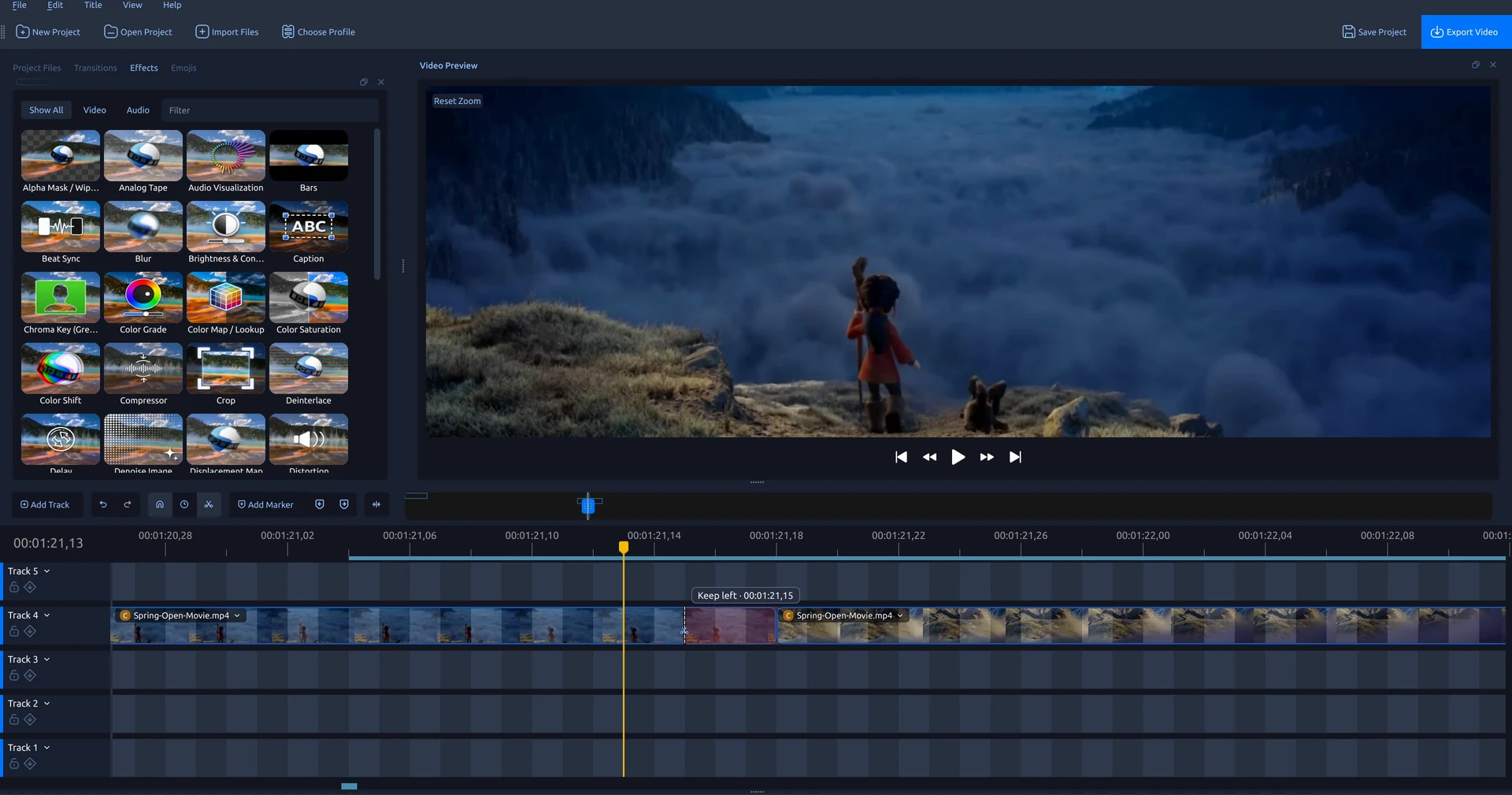
OpenShot 4.0.1 brings a major upgrade to the Razor tool, faster color and animation editing, and a timeline that keeps clip controls within reach as you zoom and scroll. We have also been working through your bug reports, fixing crashes, strengthening undo and project saving, and improving recording reliability. There is a lot packed into this update.
If you have been exploring the color tools and recording features introduced in OpenShot 4.0, there is plenty here to make your next edit smoother. We are also welcoming Linux users to our first official Snap package. OpenShot is an open-source video editor for Windows, macOS, and Linux.
OpenShot 4.0.1 Highlights
- Updated Razor tool: Preview the frame at a cut, snap to timeline targets, and remove unwanted footage while closing the gap.
- Timeline and zoom improvements: Keep clip controls visible while scrolling, resize the zoom range more easily, and see more consistent thumbnails.
- Desktop integration and translations: Better file dialogs and external editor workflows, plus refreshed interface and documentation translations in 25 languages.
- Faster keyframe and color editing: More responsive color adjustments, live transforms, and zooming in projects with many keyframes.
- Stability, undo, and saving fixes: More reliable editing history, project assets, clip updates, and playback.
- macOS startup fix: OpenShot now launches correctly on most Macs, including systems without Homebrew installed.
- Recording and audio fixes: Improved screen-recording audio synchronization, Linux webcam discovery, and recording file handling.
- Official Linux Snap support: Install through the Snap Store with automatic updates and desktop menu integration.
Razor Tool: Frame Previews, Snapping, and Ripple Cuts
A good cut can come down to a single frame. The updated Razor tool lets you inspect that frame before committing: hover over a clip while playback is paused, and Video Preview shows the source frame under your pointer. A dashed guide, timecode, and action hint show where the cut will land. Your playhead stays put, and even clips on higher tracks cannot cover the source preview.
With snapping enabled, the cut guide can align with clip edges, markers, the playhead, and keyframes. The preview and the cut use the same boundary. Hovering during playback does not interrupt it, and leaving the clip restores the preview at the playhead.
Choose what to keep
A normal click splits the clip and keeps both sides. Hold Shift to keep the left side, or Ctrl to keep the right. Shading marks the portion that will be removed before you click.
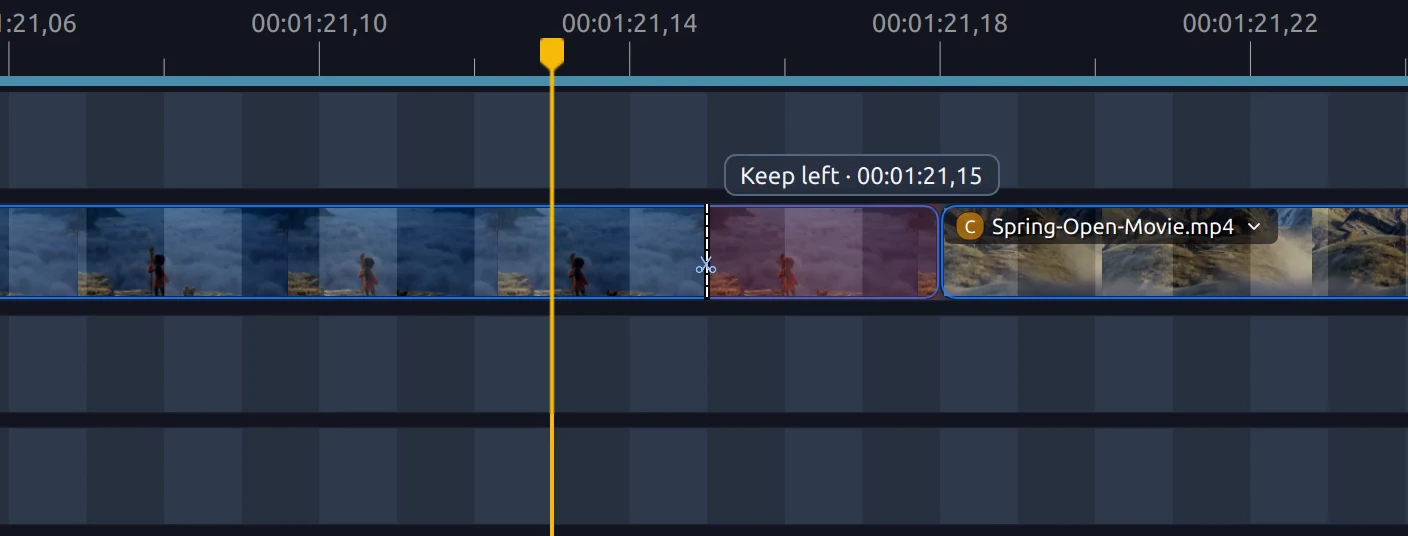
Add Alt to either action to close the gap as well. These ripple cuts shift later clips and transitions left on the same track, leaving other tracks in place. The existing W and Q shortcuts also work at the hovered Razor position, keeping the left or right side and closing the gap. Razor stays active for repeated cuts. Press Esc when you are done.
Timeline and Zoom Improvements
Zoom right into the details of a long clip, and its controls now come with you. The clip title, effect badges, and menu stay in view as its beginning scrolls offscreen. Need to adjust an effect halfway through a shot? You can open it right there, without a trip back to the start.
The zoom slider also gets a refresh, with clearer handles that are easier to grab. With snapping enabled, the handles can snap to matching clip edges and the playhead, helping you frame the section you want to edit.
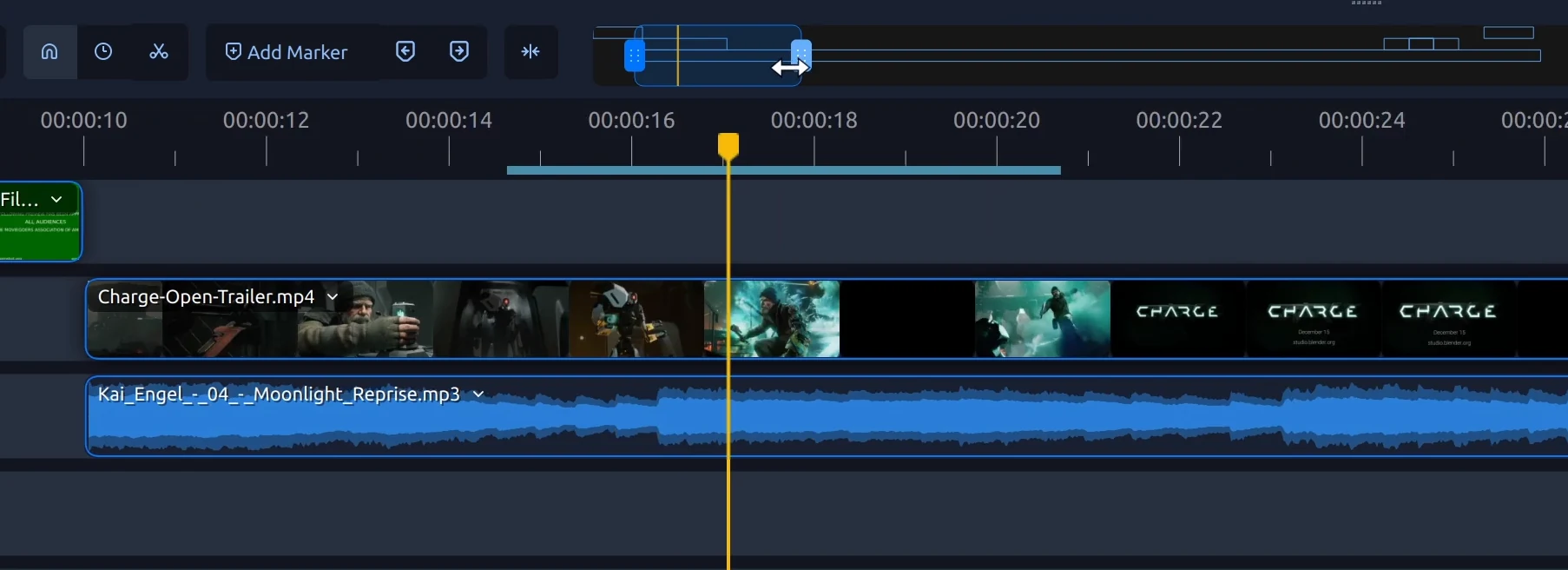
Thumbnail placement and timing are more consistent across zoom levels, and thumbnails in the visible area get priority after scrolling or zooming. Locked-track menus also disable editing actions that are unavailable.
File Dialogs, Titles, and Desktop Integration
An editing session often involves more than the timeline: finding footage, touching up a title in Inkscape, or rendering an animation in Blender. This release smooths out several of those trips between tools. Native file dialogs return with better Linux desktop portal support, including your preferred starting folder where supported.
A new preference lets you choose where assets for unsaved projects are stored, and the Linux default improves access for sandboxed external editors (such as Inkscape and Blender installed as Snaps). Asset-path fixes help Inkscape and Blender workflows, while Blender jobs shut down more reliably when cancelled or closed.
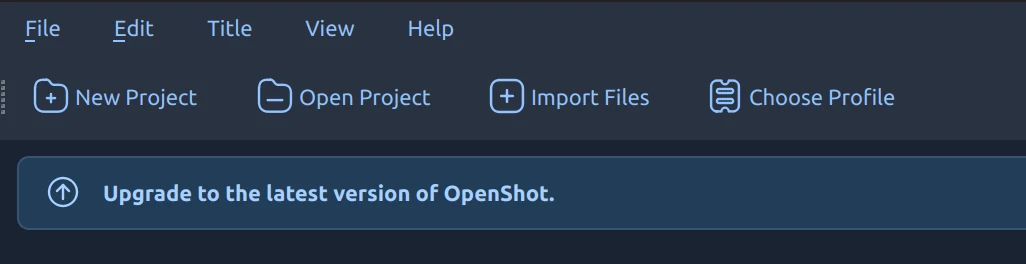
A new banner system brings announcements and update notices to the top of the window without interrupting your editing. When a newer version of OpenShot is available, an update banner links you to the download page. Dismiss it once, and it stays hidden until the next release.
Faster Keyframe and Color Editing
Try a warmer color grade, adjust an animated move, then zoom in to refine the timing. Those small experiments add up during an edit, especially in projects packed with keyframes. OpenShot 4.0.1 cuts down the repeated processing behind these adjustments, making color-wheel edits, zooming with the keyframe panel open, and transform changes during playback more responsive.
In one project used for profiling, median color-wheel edit time dropped from about 65 milliseconds to 30 milliseconds. Zooming with the keyframe panel expanded dropped from about 120 milliseconds to 28 milliseconds. These measurements cover those specific editing operations on the test system; results depend on your hardware and project.
Trimming also uses more responsive preview seeking. Keyframes are easier to target, and dragging them better preserves the playhead position. Together, these changes reduce interruptions when adjusting timing, animation, or color.
Stability, Undo, and Project Saving
Trying a different cut or color treatment is part of editing, and undo needs to keep up with the experiments. We have fixed several issues with editing history and project saving, along with reported crashes during clip deletion, preview updates, seeking, and opening or closing media.
Mac builds launch without Homebrew
Mac users who could not get OpenShot to launch should give 4.0.1 a try. We fixed a library dependency issue that caused startup crashes on Macs without Homebrew installed. Tesseract libraries linked through OpenCV and FFmpeg were being looked up outside the app, where they were not available on those systems. The corrected Mac builds resolve that dependency problem, allowing OpenShot to launch correctly on most Macs without requiring Homebrew.
Undo and project compatibility
Undo history now keeps independent snapshots of your edits, so a later trim or effect change cannot alter an earlier history entry. Saving and Save As also preserve asset paths in undo and redo history, including titles and recordings that are only referenced by an undone action.
Color-wheel and curve edits have more consistent undo behavior when switching selections or closing editors. Deleting selected Color Grade keyframes now targets those points without accidentally deleting the effect.
Compatibility fixes preserve clip positions and animation in older projects and imported clips when you upgrade. Other fixes correct transition order when clips share a start time, preview sizing on scaled displays, and export audio timestamps and image handling.
Recording and Audio Fixes
For tutorials, walkthroughs, and presentations, the sound needs to follow the action. Screen recording now uses capture timestamps more carefully to keep audio aligned with the video. The fixes handle delayed audio and gaps without shifting the sound that follows, and address a source of crackling in captured audio.
Linux webcam discovery now queries the camera's supported modes directly. Additional fixes address camera startup and cleanup, Windows audio recording backend selection, and moving recordings when their files are still in use. Linux packages also include the optional capture component needed for Wayland screen recording.
Official Snap Support for Linux
Linux users have a new installation option: OpenShot is now officially available as a Snap! Maintained by the official OpenShot team, the package adds the editor to your desktop menu and receives automatic updates. Get it from the Snap Store, or install it with one command on a system with Snap support enabled:
sudo snap install openshot-qtIf your distribution does not already include Snap support, follow the snapd setup instructions first.
Microphone and webcam access
Until our Snap auto-connections are officially approved, these permissions need to be enabled manually. To record with a microphone or webcam, enable audio-record and camera in your software manager, or run:
sudo snap connect openshot-qt:audio-record
sudo snap connect openshot-qt:camera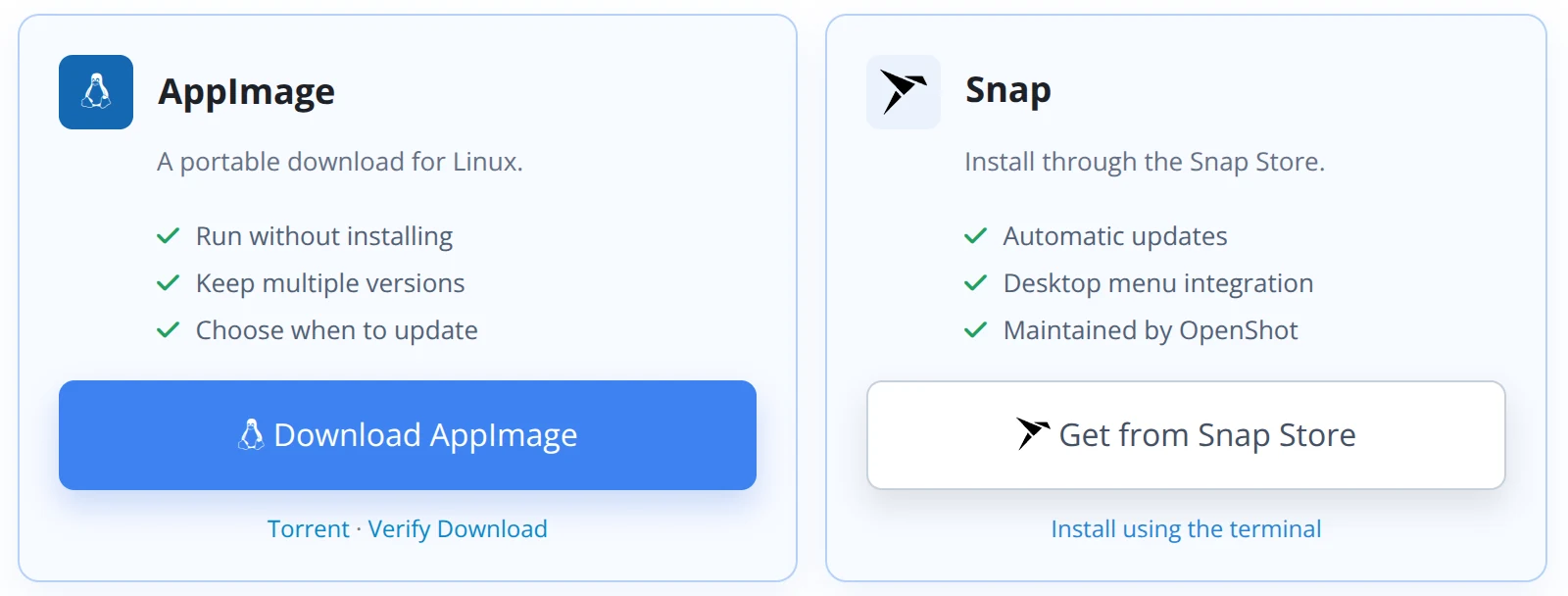
AppImage remains available for users who prefer a portable download, keep multiple versions, or choose when to update. Our official PPA is also linked from the download page.
Translations and Documentation
We have refreshed interface and documentation translations in 25 languages and shortened tooltips. We also reviewed and improved translations of many primary interface labels in several languages to better reflect video editing terminology. The User Guide also covers the updated Razor tool, so you can put its new cutting options to work.
Release Notes and Source Code
OpenShot 4.0.1 uses libopenshot 1.0.1 and libopenshot-audio 1.0.1. Alongside the editing fixes, these releases simplify diagnostic logging and improve build compatibility, including macOS audio-library linking.
Detailed release notes and source history are available in the three project repositories:
Thank You
Thank you to the contributors, translators, testers, and users who helped identify problems and test these fixes. Your reports and testing help us improve OpenShot across different projects, computers, and operating systems.
The screenshots feature Spring and Charge from Blender Studio. Thank you to Blender and its Open Movie artists for sharing these films with the creative community.
Film footage: Spring and Charge. © Blender Foundation. Shared under Creative Commons Attribution 4.0. studio.blender.org. Footage appears within edited OpenShot demonstrations.
Help Us Make the Next Cut
If OpenShot is useful to you, please consider supporting the project. Donations help fund development, testing, documentation, and the infrastructure behind each release.
Leaving a public review is another great way to support OpenShot. Sharing your experience helps more people discover the editor and helps our open-source community grow.
Download OpenShot 4.0.1
Pick a clip, try the new Razor previews, and see how the updated timeline fits into your next project. OpenShot 4.0.1 is available for Windows, macOS, and Linux, including our new official Snap package. We look forward to seeing what you create.