초가 더 필요하신가요? 복제하세요!
작성자 에 .
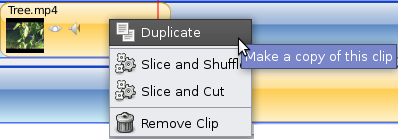
We have added a new menu item for clips (video, image, audio, and image sequence) called "Duplicate". It makes an identical clip on the timeline (every property is preserved, including IN and OUT settings).
작성자 에 .
We have added a new menu item for clips (video, image, audio, and image sequence) called "Duplicate". It makes an identical clip on the timeline (every property is preserved, including IN and OUT settings).
작성자 에 .
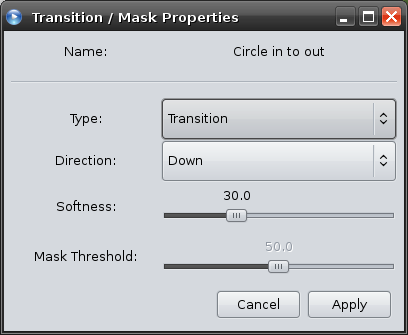
I am very excited to announce our new advanced mask feature, as well as some new advanced transition options! OpenShot already has a powerful grey-scale based transition system, but now you have even more control over how it wipes across the transition.
작성자 에 .
Although this sounds like a fairly basic feature, we have just added the ability to preview media files and clips. There are many ways to preview a clip, including:
작성자 에 .
We have enhanced our Export Video screen to include the following features:
작성자 에 .
Someone pointed out to me that trimming a clip on the timeline in OpenShot is like being blind-folded with a pair of scissors in one hand. That sounds dangerous doesn't it! So, we have improved the trim / resize feature in OpenShot to work like this:
모두 준비하세요. OpenShot 3.5가 도착했으며, 이는 우리의 18년 역사상 가장 큰 릴리스 중 하나입니다. 훨씬 빠른 타임라인부터 더 나은 내보내기, 향상된 GPU 가속, 더 똑똑한 효과, 그리고 강력한 안정성까지, 이번 릴리스는 OpenShot을 크게 발전시킵니다. 저는 매우 자랑스럽고, 모두가 직접 사용해 보길 기다릴 수 없습니다....
더 읽기클립을 분할하면 비디오나 오디오 클립을 여러 조각으로 나누어 실수를 제거하거나, 속도를 조절하거나, 전환 효과를 추가할 수 있습니다....
더 읽기