
OpenShot 跳探戈!
撰寫者 於 .
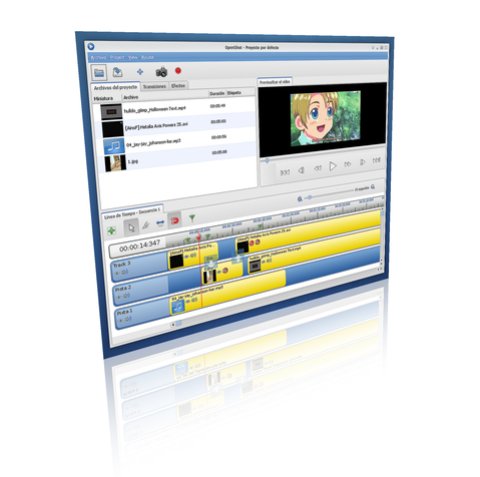
OpenShot Video Editor was built with the idea that it's User Interface could be skinned or themed, but until now we've only had our default theme. That all changes today:
撰寫者 於 .
OpenShot Video Editor was built with the idea that it's User Interface could be skinned or themed, but until now we've only had our default theme. That all changes today:

撰寫者 於 .
撰寫者 於 .
We all have a favorite open-source application. Maybe it's Firefox, OpenOffice.org, Eclipse, PiTiVi, Gimp, Kdenlive, or any one of the tens of thousands of other open-source apps. After running my own open-source project for the past year, I wanted to share my thoughts on the subject. That is... what ...
撰寫者 於 .
撰寫者 於 .
I have two more features to announce today. Some of you might have already noticed these (maybe even used them), but here is the official announcement.
Static Timeline
You asked for it, and here it is. The timeline ruler no longer scrolls with the timeline. It is now static, and is always in view, no ...
OpenShot 4.0.1 大幅升級了 Razor 工具,讓色彩與動畫編輯更快速,並提供時間軸,讓您在縮放與捲動時仍能輕鬆操作片段控制項。我們也持續處理您回報的錯誤,修正當機問題,強化復原與專案儲存功能,並提升錄製可靠性。這次更新包含了許多改進。 如果您一直在探索 OpenShot 4.0 引入的色彩工具與錄製功能,這次更新將讓您的下一次編輯更加順暢。我們也歡迎 Linux 使用者使用首個......
閱讀更多OpenShot 4.0 已經推出,帶來我們歷來最重大的創意工作流程升級之一。現在,您可以直接將螢幕、網路攝影機、麥克風和系統音訊錄製到專案中。您可以使用色輪、曲線、LUT 和專業影片示波器進行影片校正與調色。您也可以透過在本機執行的機器學習模型分離主體,並製作從動畫音訊視覺化效果到電影級影像風格的各種內容。這是 OpenShot 邁向更快速、更完整且更具創意的重要一步。...
閱讀更多