
16
Mar
OpenShot 3.5: Hız, Kararlılık ve Yaratıcı Kontrol İçin Büyük Bir Yükseltme
Yazan tarihinde içinde Sürümler .
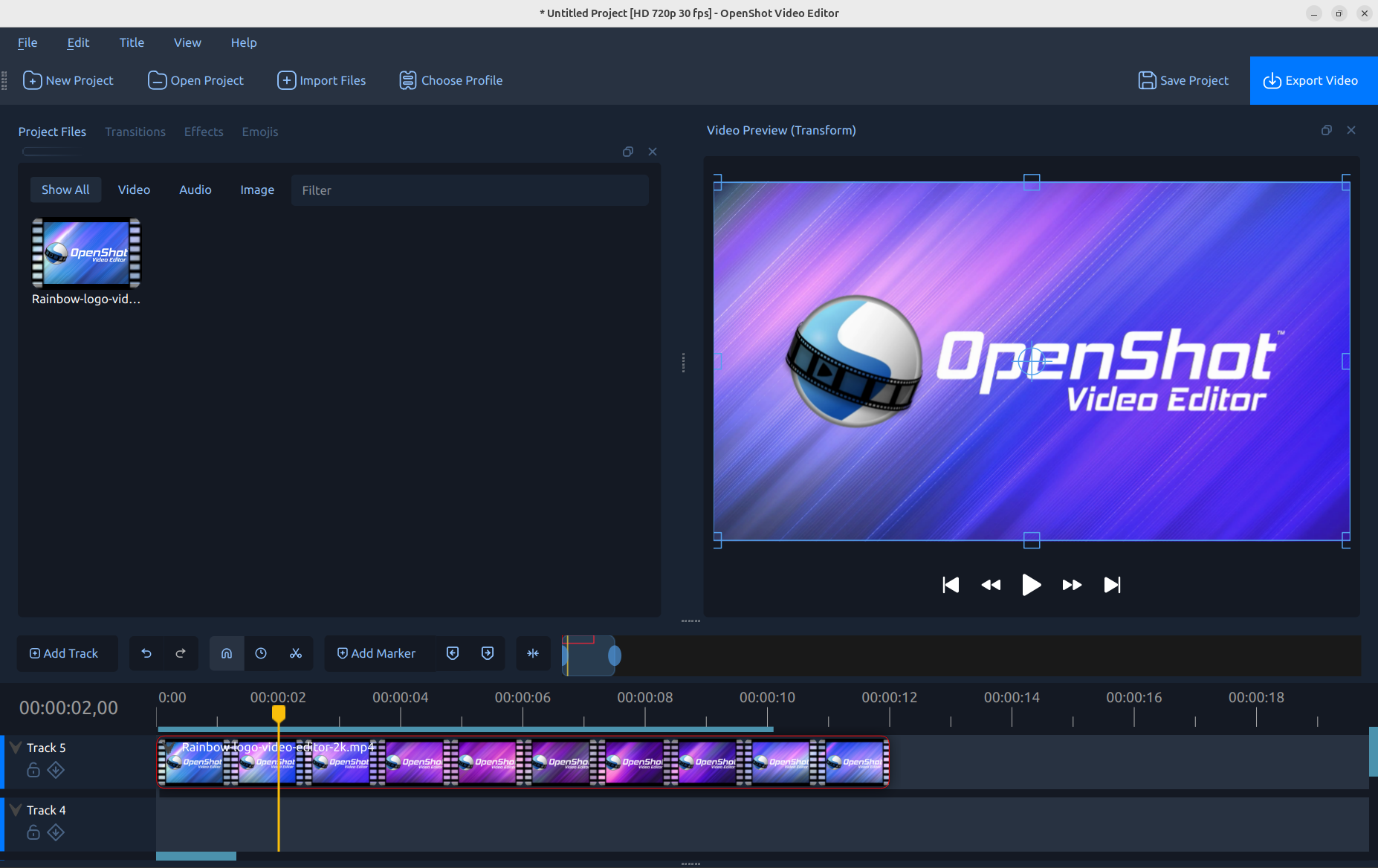
Herkes kemerlerini bağlasın. OpenShot 3.5 geldi ve 18 yıllık tarihimizdeki en büyük sürümlerden biri oldu. Çok daha hızlı bir zaman çizelgesinden daha iyi dışa aktarımlara, geliştirilmiş GPU hızlandırmaya, daha akıllı efektlere ve daha güçlü kararlılığa kadar, bu sürüm OpenShot'u büyük bir adım ileriye taşıyor. Bununla inanılmaz gurur duyuyorum ve herkesin denemesini sabırsızlıkla bekliyorum.
Bu yazı yalnızca İngilizce olarak mevcuttur.
Download OpenShot now and take it for a spin.
TL;DR
- New default timeline with much faster zooming, scrolling, editing, and new keyframe panel
- 35% faster overall, with especially large gains in effects and frame processing
- Better exports with smaller files and higher quality
- Improved GPU acceleration for decoding and encoding
- Improved stability with expanded tests, UI tests, and full-cycle replay testing
- Audio transitions make cross-fading audio super simple
- Mask support for all effects, improved animated masks, and new mask controls
- New default Chroma Key with softer edges, better quality, and much faster performance
- Faster audio file handling and importing
- Experimental ComfyUI integration for advanced AI workflows
- Tons of bug fixes across editing, playback, caching, and platform-specific issues
OpenShot 3.5 is all about making editing feel smoother and more dependable. Whether you are cutting together a quick video, building a more complex project, or experimenting with AI-assisted workflows, this release lays a much stronger foundation for what comes next.
A new default timeline, built for speed
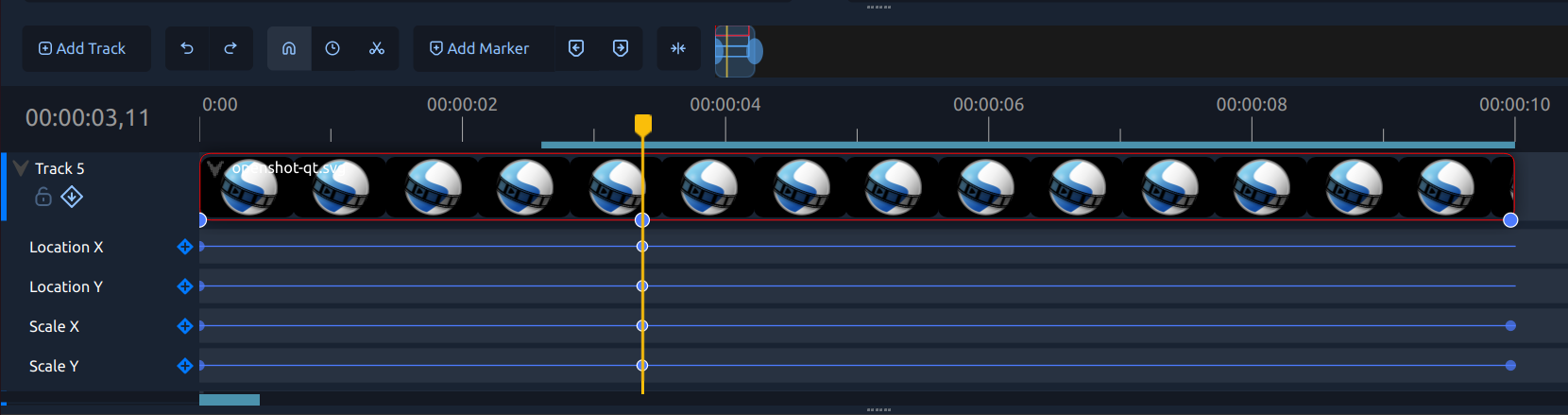
OpenShot 3.5 now uses the newer timeline as the default editing experience, and it is one of the most noticeable improvements in the release. Zooming, scrolling, dragging, trimming, and scrubbing feel much smoother, especially on larger projects. The new timeline is simply more responsive and more enjoyable to work with day to day. Alongside it, the keyframe panel is now enabled by default, making advanced animation and property editing much easier to discover and use.
Technical notes: Better timeline rendering, smoother drag and snap behavior, improved multi-selection handling, high-DPI thumbnail support, more stable preview updates, and a more polished default keyframe workflow.
Big performance gains across the editor
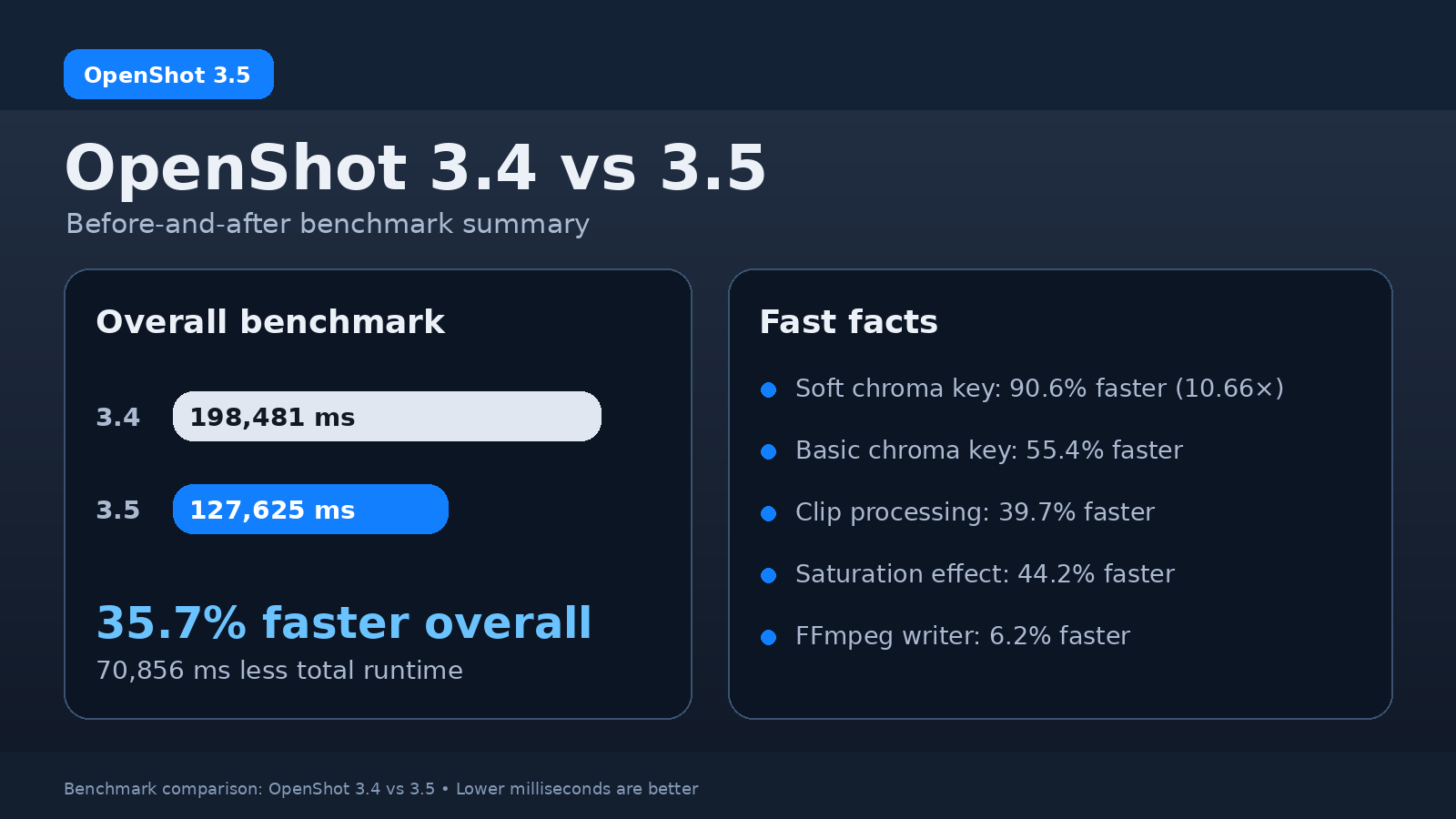
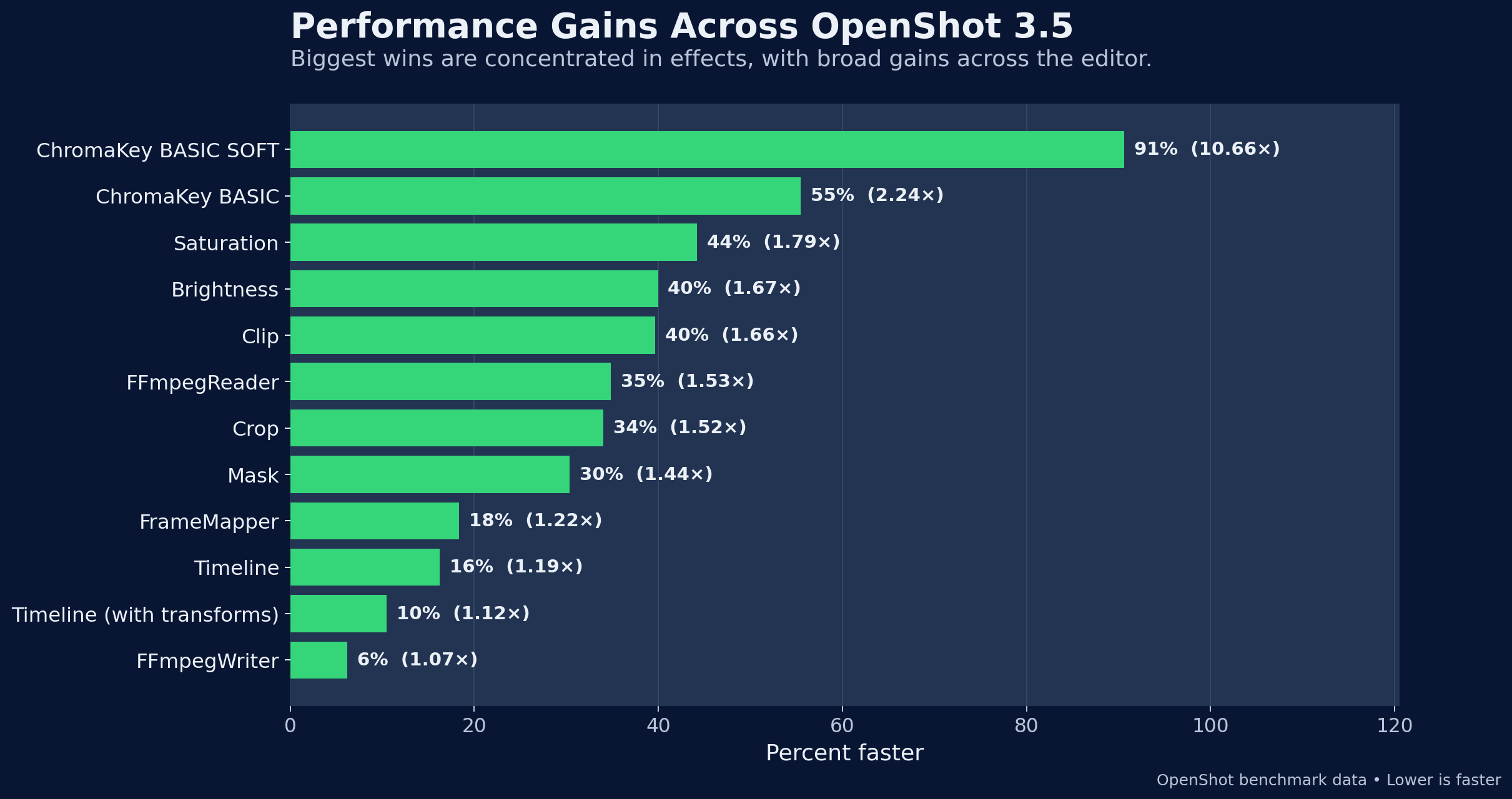
Performance was a major focus throughout the 3.5 release cycle. Overall benchmark results show OpenShot 3.5 is about 35% faster, with some of the biggest improvements landing in effects and frame processing. That means better responsiveness during editing, faster previews, and a smoother feeling editor overall. The biggest wins show up in areas like Chroma Key, color effects, and clip processing, but the gains are broad and spread throughout the engine.
Technical notes: Faster hot paths in libopenshot, improved frame processing, optimized effect loops, better cache behavior, and broad engine-side performance work across readers, frame mapping, masks, the timeline, and writing.
Better exports and improved GPU acceleration
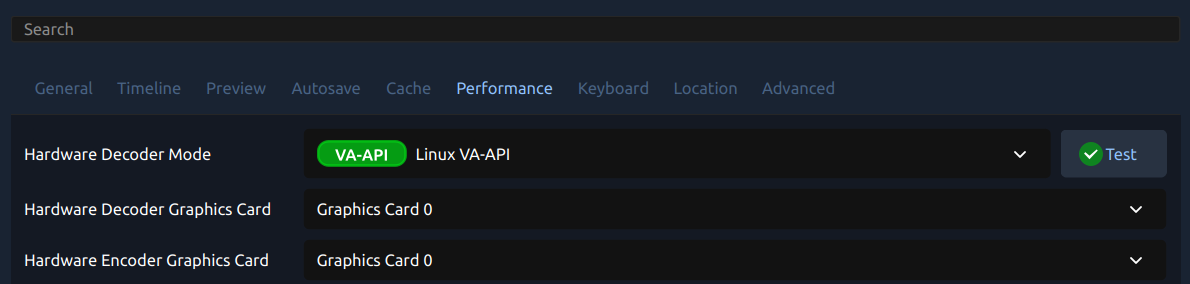
OpenShot 3.5 improves export quality in practical ways that users will notice right away: smaller files, better visual quality, and improved defaults for common export presets. At the same time, GPU-related handling has been improved for both decoding and encoding. This makes hardware acceleration more reliable, helps avoid black-frame issues when decoding fails, and gives OpenShot a better path for falling back safely when needed.
Technical notes: Updated export presets and encoder tuning, improved CRF-based defaults, better GOP/B-frame handling, safer hardware decode fallback, and improved hardware verification behavior.
Audio transitions and much better audio file handling
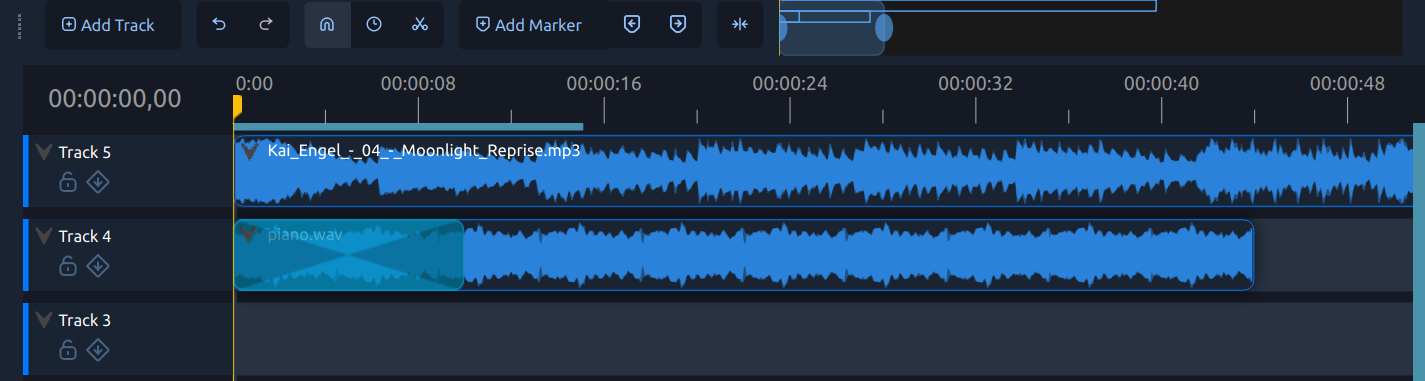
Audio got some very meaningful quality-of-life upgrades in 3.5. Transitions are now much smarter about sound, making it easier to create cross-fades, fade-ins, and fade-outs without extra manual work. On top of that, audio file handling is faster and more responsive in the UI, making import and day-to-day editing feel snappier. These improvements make audio work feel more natural and less fiddly.
Technical notes: Timeline-aware audio fades tied to transitions, equal-power cross-fade behavior, faster audio decoding paths, improved waveform generation, and faster handling of audio-heavy project workflows.
Masks, Chroma Key, and more powerful effects
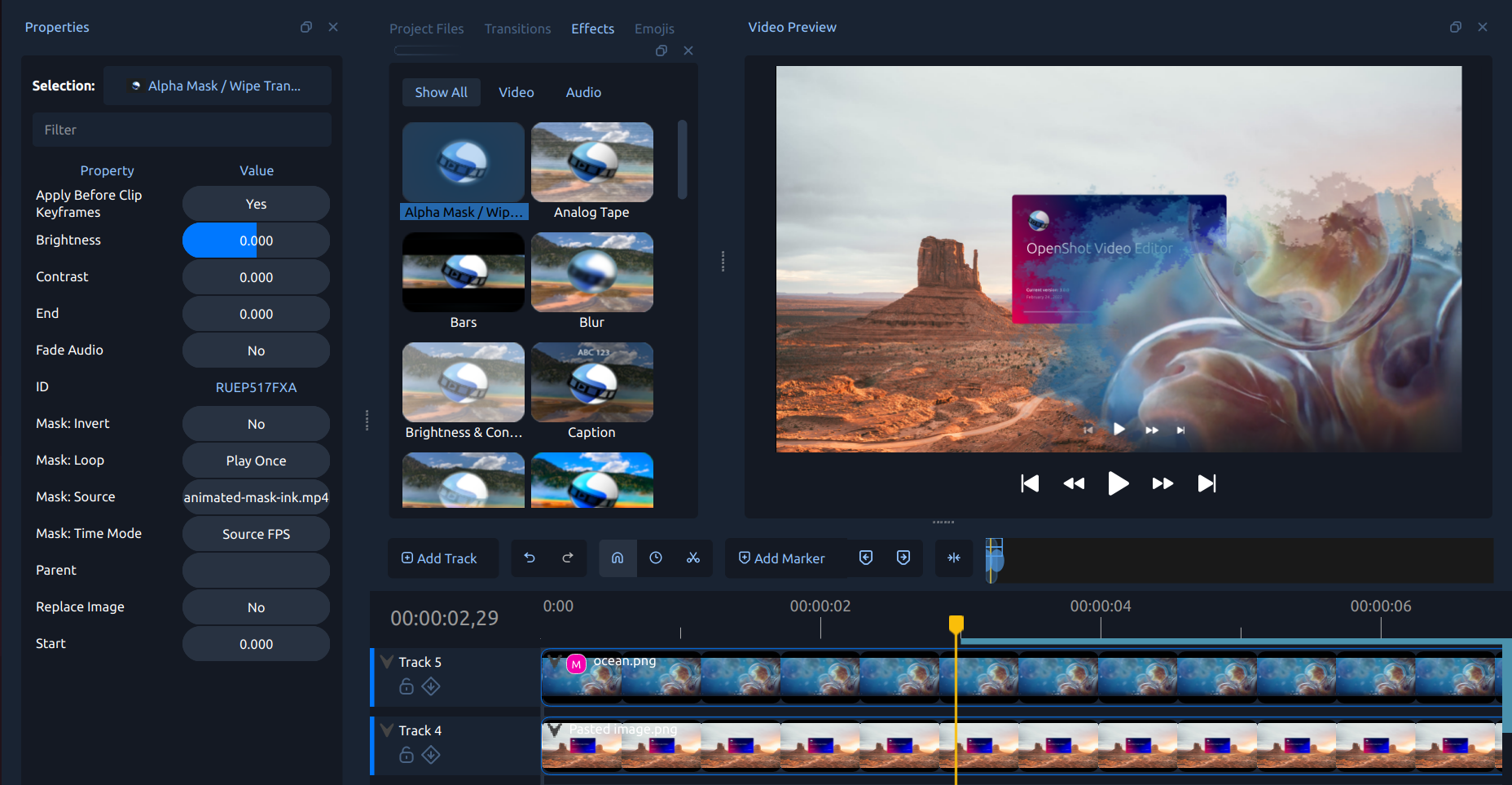
Effects got stronger in OpenShot 3.5, both in quality and in flexibility. A new default Chroma Key mode delivers softer edges, better halo handling, and major performance gains. Mask support has also expanded across more effects, animated masks behave better, and new controls make it easier to build more advanced effect workflows. Together, these changes make OpenShot more capable for compositing, selective effects, and fine-tuned edits.
Technical notes: New default soft chroma mode, improved animated mask timing and trimming, mask inversion and expanded effect mask support, better effect behavior defaults, and significant effect-side performance gains.
Stability, testing, and a long list of bug fixes
One of the most important parts of OpenShot 3.5 is what it fixes. This release includes tons of bug fixes across playback, timeline editing, dragging, trimming, caching, missing-file handling, and platform-specific issues. It is also backed by stronger testing: expanded unit test coverage, new UI unit tests, and the new openshot-replay testing suite for broader full-cycle testing. The result is a release that feels more dependable and less fragile in everyday use.
Technical notes: Expanded automated testing, more regression coverage, UI-level testing, replay-based full-cycle testing, and fixes across caching, preview correctness, playback edge cases, and platform-specific paths.
Experimental: ComfyUI integration for AI workflows
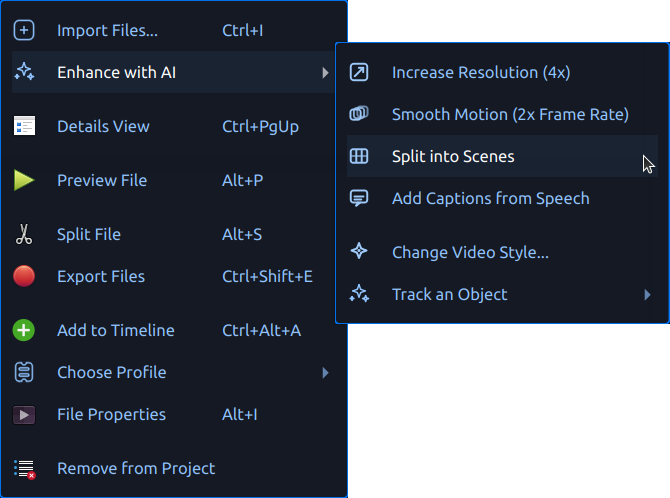
OpenShot 3.5 also includes early experimental ComfyUI integration, opening the door to more advanced AI-assisted workflows. This includes support for a growing list of workflows, plus custom OpenShot-oriented work around tracking, segmentation, and SAM2-powered pipelines. It is exciting work, but it still requires setup and is best thought of as an advanced feature for adventurous users. We are laying the groundwork now so this can grow into something much more powerful over time. See our ComfyUI installation guide to learn more.
Technical notes: Dynamic workflow loading, JSON-driven ComfyUI integrations, support for generation and advanced tracking/segmentation flows, and OpenShot-specific workflow work that is still evolving.
Support OpenShot
If you love where OpenShot is headed and want to help us keep things moving, please consider making a donation. Your support helps fund development, testing, packaging, infrastructure, and the long-term work required to keep improving OpenShot for everyone. A small monthly donation is one of the very best ways to support OpenShot, and keep the updates and improvements coming regularly.
Thank You
A huge thank you to Raffi, all of our bug reporters, translators, testers, the Discord and Reddit community, and everyone who has sent emails, shared ideas, or given their time to help move OpenShot forward. Open source software is a community effort, and this release is better because of all of you.
What’s next
Work is already underway on what comes next. I will soon be merging work on Qt6 / PyQt6 / PySide6 branches, which are an important step for the future of OpenShot. A new Android build is also coming soon, and I am excited to share more about that as it gets closer. I will also soon be removing our web-based timelines, which should shrink the size of OpenShot's downloads considerably. And for anyone interested in helping shape the future of OpenShot’s AI features, especially the ComfyUI integration, I would love more feedback, testing, and contributions to help improve that feature set. You can get involved with an email to hello@openshot.org or join our Discord and say hello.